Annual Plan SavingsSave 50% with an annual plan
View plans
Nano Banana Pro
HomeHome
Nano Banana Series
Nano Banana Pro
RECOMMENDED

Generate high-quality images from text descriptions

Nano Banana 2

Next-gen · Google Search · 14 Input Images

Nano Banana 2 Lite

Lightweight and fast version of Nano Banana 2

GPT Image Series
GPT Image 2.5
RECOMMENDED

Natural lighting · Rich textures · Fine detail

GPT Image 2

Photoreal quality, precise text, pixel-level editing

GPT Image 1.5

Latest GPT 5.2 powered image generation

Seedream SeriesRELAXED
Seedream 5 Pro
NEW

Rivals Nano Banana 2, precise editing with layer control

Seedream 5 Lite

Latest Seedream model, 4K quality, 8 aspect ratios

Seedream 4.0

4K support, relaxed content policy, batch generation

Qwen Image
Qwen Image 3.0

Complex layouts · Clear text rendering · Fine realism

Creative Tools
Image Enhancement

Enhance image resolution, refine details

E-commerce Image Suite

Upload a product image and generate a complete set for major marketplaces

Nano Banana Pro Combo

Generate multi-card grid sheets in one call

GPT Image 2 Combo

Multi-card grid sheets powered by GPT Image 2

Z-Image
Z-Image

Fast photorealistic generation with relaxed content policy

Seedance Series
Seedance 2.5
NEW

30-second 4K video generation with native audio and advanced controls

Seedance 2
HOT

Cinema-quality video with native audio, up to 15s, text & image to video

Seedance 2 Mini
HOT

High-value Seedance 2 with native audio, 4-15s, 720p/1080p

Seedance 1.5 Pro

Supports first/last frame, text-to-video/image-to-video modes, cost-effective

Kling Series
Kling 3
HOT

Cinematic 4K generation with native audio

Kling o3

Omni model with first/last-frame control

Kling 2.6

Cinematic quality with native audio generation

Wan Series
Wan 3.0
NEW

Standard and high-speed Prime in one workspace

Wan 2.7
HOT

Text, image, reference, and video edit modes

Wan 2.6

Relaxed content policy

Wan 2.5

Relaxed content policy with high creative freedom

Google Series
Gemini Omni

Multimodal input × native audio, cinematic-level controllable video

Veo 3.1

Supports first/last frame video, multi-image reference video generation

Grok Series
Grok Imagine 1.5

Image-to-video by xAI Grok, flexible aspect ratios, up to 15s

Grok

Faster generation, weaker prompt adherence, supports spicy mode

Hailuo AI Series
H3 Max / Turbo

A cost-efficient MiniMax H3 Max studio for text-to-video, image-to-video and reference-led creation with native audio.

MiniMax H3 (Hailuo 03)

Hailuo 03 with text, first/last frame, and multimodal reference video modes

Hailuo AI

MiniMax Hailuo video: text/image to video, excellent first/last frame effects

OmniHuman 1.5
OmniHuman 1.5

Single image and audio to digital human video

V2V Lip Sync

Sync an existing video mouth motion to target audio

AI Chat
AI Audio
NEW

Generate dialogue, ambience, sound effects, and background music

AI Music
NEW

Generate original songs with custom lyrics and styles

CreationsCreations
PricingPricing
Prompt Library

Explore and discover high-quality AI prompts

Nano Banana Prompt Examples

Explore high-quality prompt examples for Nano Banana Pro

GPT Image 2 Prompt Examples
NEW

Browse GPT Image 2 prompts for social posts, posters, and product visuals

Seedance 2.0 Video Prompt Examples

Browse curated Seedance 2.0 video prompt examples with videos, authors, publish dates, and engagement metrics.

Prompt Toolkit

Prompt building tools and guides

AI Image Prompt Builder
NEW

Easily build complex prompts through a visual interface

Seedance 2 Prompt Guide

Dive deep into advanced features and best practices

API
NEW

Integrate Nano Banana Pro capabilities into your applications

Nano Banana Pro
AI ImageAI Video

Nano Banana Pro

Nano Banana Pro is the revolutionary AI-powered image generation and editing platform that delivers consistent character editing and scene preservation with superior performance.

Email: support@nanobananapro.site

  • Email

Product

  • Home
  • Features
  • Showcases
  • Ecommerce
  • Pricing

Other Services

  • AI Image Upscaler
  • Grok
  • Veo 3.1
  • Wan 2.5
  • Kling 4.0

Other

  • Blog
  • About Us
  • Climate Action Plan

© 2026 bananapro.site. All rights reserved.

  • Privacy Policy
  • Terms of Service
  • Refund Policy
  • Referral Program
  • Invoice Management
🇺🇸 English🇨🇳 中文🇰🇷 한국어🇯🇵 日本語🇪🇸 Español🇩🇪 Deutsch🇫🇷 Français🇷🇺 Русский🇸🇦 العربية🇧🇷 Português🇮🇹 Italiano
PricingCreate
Back to GPT Image 2 prompts
HomeGPT Image 2 PromptsDark AI Chat 4K Upscale Tutorial
App / Web DesignInfographic / Edu VisualMinimalismDiagram / ChartText / Typography

Dark AI Chat 4K Upscale Tutorial

Dark AI Chat 4K Upscale Tutorial preview image 1

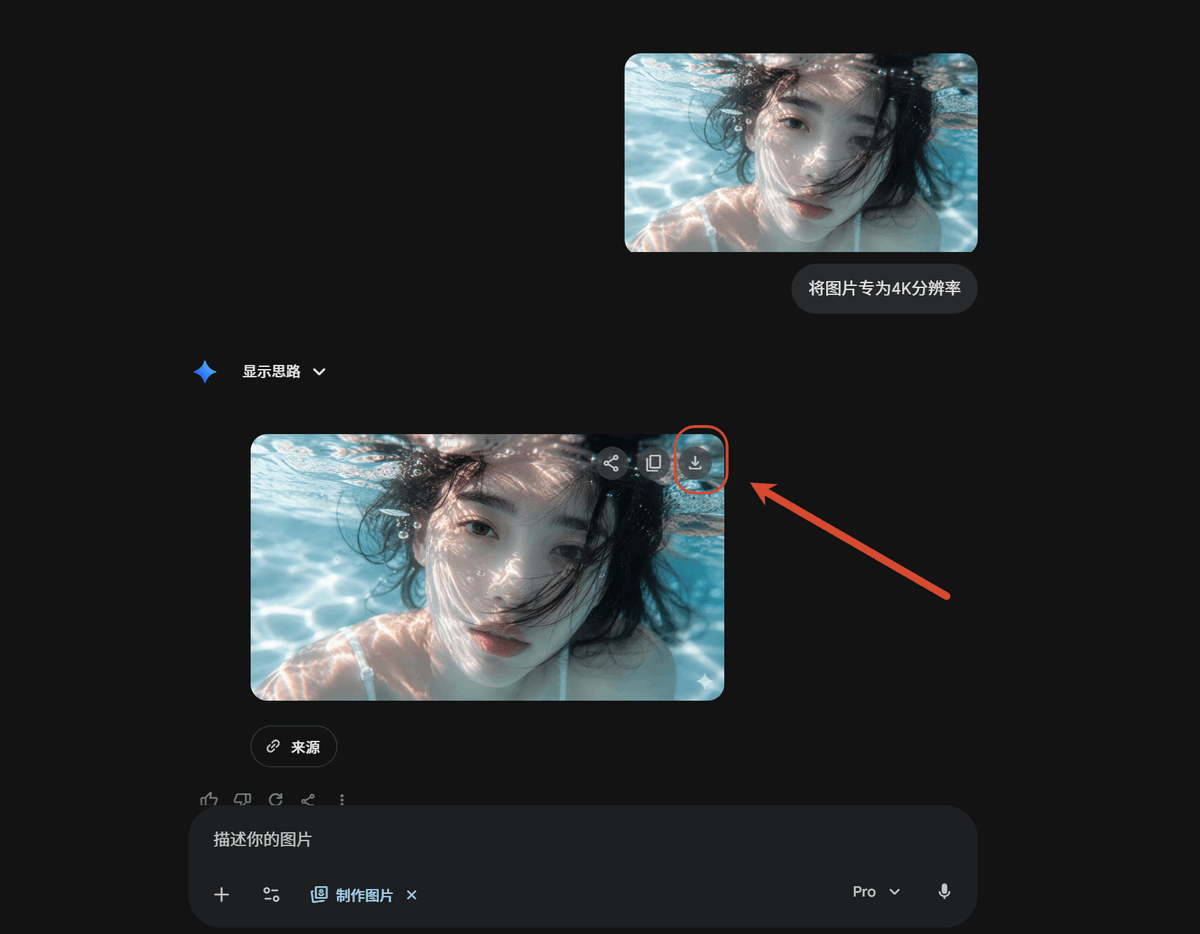
Creates a dark-mode AI chat tutorial screenshot showing an uploaded image transformed into a 4K result with the download button highlighted.

Published May 23, 2026Original language: EN

Prompt

Full prompt text, ready to copy or adapt.

Using REFERENCE_0 as the source screenshot, create a clean dark-mode AI chat interface tutorial mockup that shows the same underwater photo being upscaled. Remove the Windows Photos app chrome, side information panel, filename details, and resolution callout from the reference; use only the underwater image content as the visual asset.

Layout: Place exactly 2 rounded-corner image previews of the underwater photo in the chat: 1 smaller uploaded-image preview near the upper right and 1 larger generated-result preview below it, slightly left of center. Keep the face-obscuring gray blur/block over the person in both previews.

Chat elements: Add exactly 1 user message bubble beside the upper preview with the Chinese text 将图片专为4K分辨率. Add exactly 1 assistant label reading “显示思路” with a small blue sparkle icon and a dropdown chevron. Under the larger image preview, add exactly 1 small rounded “来源” source button.

Callout: On the upper-right corner of the larger generated image preview, show the download icon and highlight it with exactly 1 red circular outline. Add exactly 1 thick red arrow pointing from the right side toward that circled download icon.

Bottom UI: Include a dark rounded message input bar at the bottom with placeholder text “描述你的图片”, small attachment/tool icons, a “制作图片” chip, a Pro dropdown, and a microphone icon.

Style and constraints: Match a modern Gemini/AI-chat dark theme with lots of empty black space, subtle gray UI controls, rounded corners, and a 16:9 screenshot composition. Do not add extra images, extra arrows, extra callouts, or additional explanatory text.

Creator

唐

唐华斑竹🦅

Details

Published
May 23, 2026
Language
EN
Model
GPT Image 2
App / Web DesignInfographic / Edu VisualMinimalismDiagram / ChartText / Typography

Engagement

Likes
55
Views
10.8k
Shares
4
Comments
18
Bookmarks
72
Quotes
2

Prompt actions

More from GPT Image 2

Related prompts from the same model and categories.

Explore all prompts
Minimalist facial beauty report preview image 1

By そう|Claude Codeで始めるAI自動化

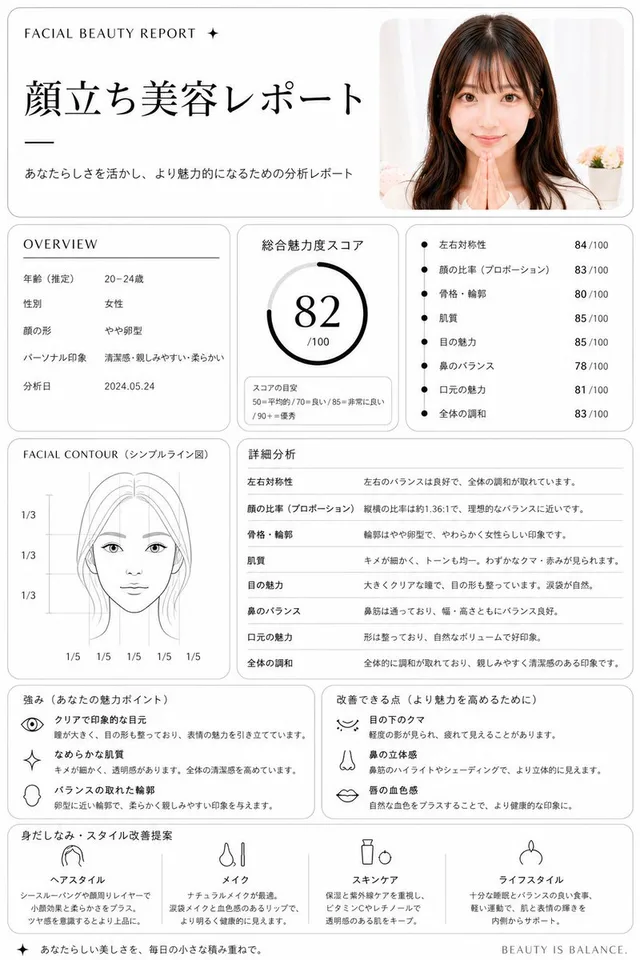
Minimalist facial beauty report

Infographic / Edu Visual · App / Web Design · Minimalism · Sketch / Line Art

57538.2k
Dark AI Product Keynote Slide preview image 1

By 歸藏(guizang.ai)

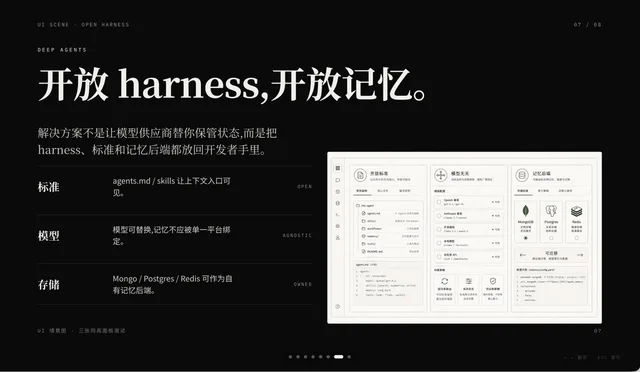
Dark AI Product Keynote Slide

Infographic / Edu Visual · App / Web Design · Minimalism · Text / Typography
48046.6k
Side-by-Side PPT Reconstruction Demo preview image 1

By 中崎工房 | AIで1時間の仕事を5分で終わらせる人

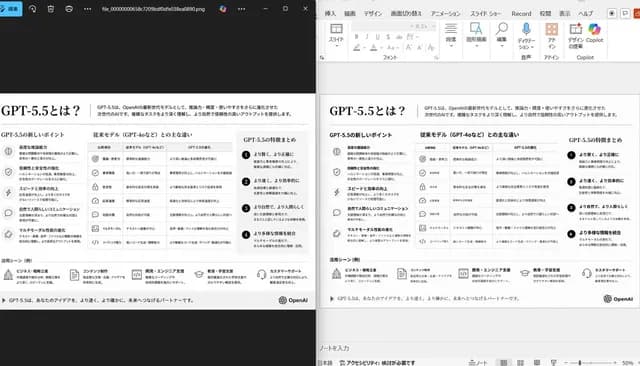
Side-by-Side PPT Reconstruction Demo

Infographic / Edu Visual · App / Web Design · Minimalism · Diagram / Chart
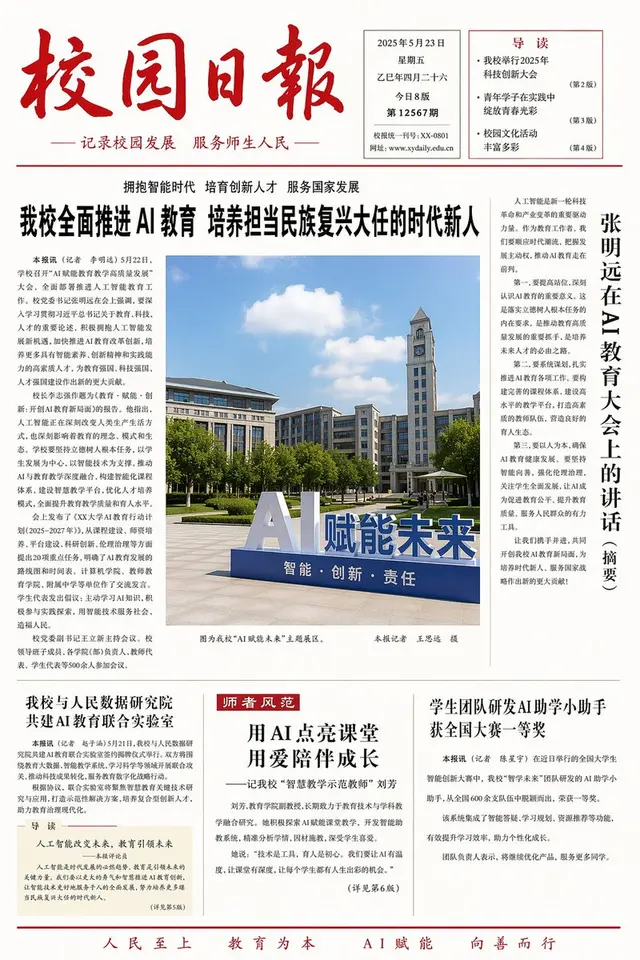
28649.5k
Minimalist Layout and Document Prompts preview image 1

By Larus Canus

Minimalist Layout and Document Prompts

Infographic / Edu Visual · Product Marketing · E-commerce Main Image · App / Web Design
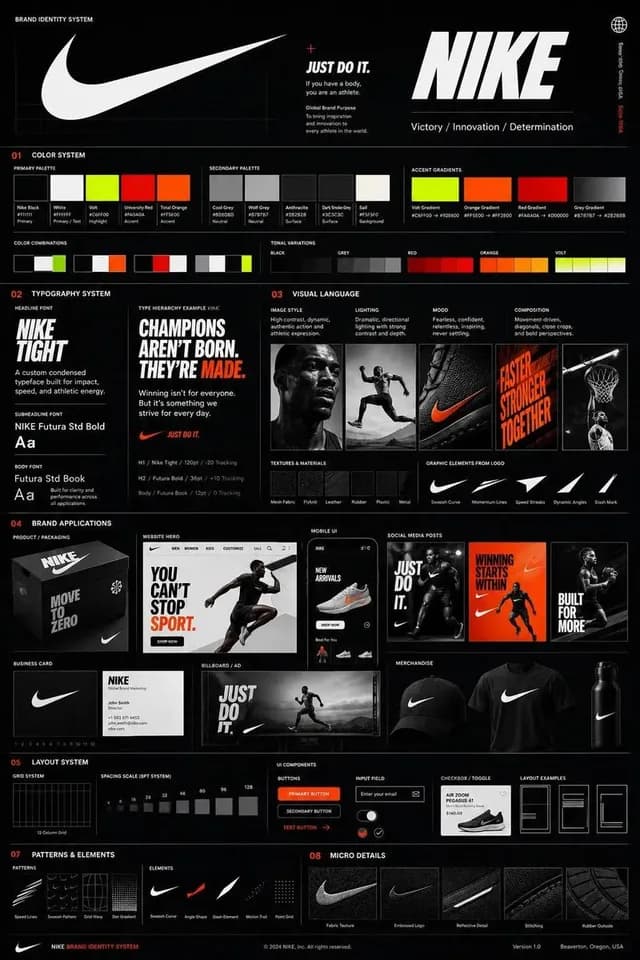
22739.4k
Agency Grade Brand Identity Poster preview image 1

By Ciri

Agency Grade Brand Identity Poster

App / Web Design · Infographic / Edu Visual · Minimalism · Illustration
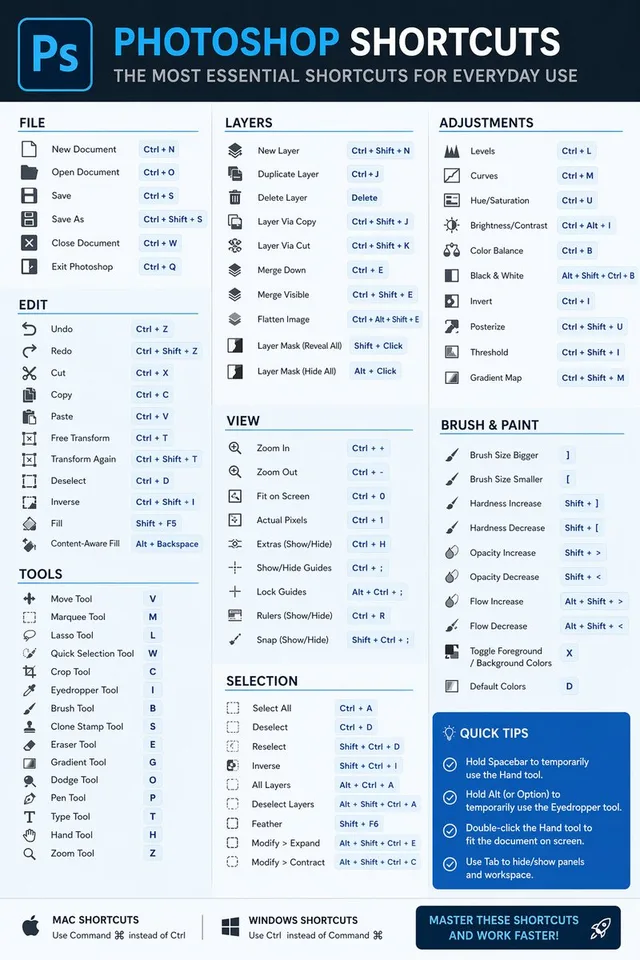
1516.7k
Software Shortcut Infographic preview image 1

By Kris Kashtanova

Software Shortcut Infographic

Infographic / Edu Visual · App / Web Design · Minimalism · Illustration

513.3k