2026
✨ Gacha Mode is Live!50% OFF Yearly Plan · Limited Time
Unlock Now
Nano Banana Pro
HomeHome
Nano Banana Series
Nano Banana Pro
RECOMMENDED

Generate high-quality images from text descriptions

Nano Banana 2

Next-gen · Google Search · 14 Input Images

Nano Banana 2 Lite

Lightweight and fast version of Nano Banana 2

GPT Image Series
GPT Image 2
RECOMMENDED

Photoreal quality, precise text, pixel-level editing

GPT Image 1.5

Latest GPT 5.2 powered image generation

Seedream SeriesRELAXED
Seedream 5 Pro
NEW

Rivals Nano Banana 2, precise editing with layer control

Seedream 5 Lite

Latest Seedream model, 4K quality, 8 aspect ratios

Seedream 4.0

4K support, relaxed content policy, batch generation

Creative Tools
Image Enhancement

Enhance image resolution, refine details

E-commerce Image Suite

Upload a product image and generate a complete set for major marketplaces

Nano Banana Pro Combo

Generate multi-card grid sheets in one call

GPT Image 2 Combo

Multi-card grid sheets powered by GPT Image 2

Z-Image
Z-Image

Fast photorealistic generation with relaxed content policy

Seedance Series
Seedance 2.5
NEW

30-second 4K video generation with native audio and advanced controls

Seedance 2
HOT

Cinema-quality video with native audio, up to 15s, text & image to video

Seedance 2 Mini
HOT

High-value Seedance 2 with native audio, 4-15s, 720p/1080p

Seedance 1.5 Pro

Supports first/last frame, text-to-video/image-to-video modes, cost-effective

Kling Series
Kling 3
HOT

Cinematic 4K generation with native audio

Kling o3

Omni model with first/last-frame control

Kling 2.6

Cinematic quality with native audio generation

Wan Series
Wan 3.0
NEW

Standard and high-speed Prime in one workspace

Wan 2.7
HOT

Text, image, reference, and video edit modes

Wan 2.6

Relaxed content policy

Wan 2.5

Relaxed content policy with high creative freedom

Google Series
Gemini Omni

Multimodal input × native audio, cinematic-level controllable video

Veo 3.1

Supports first/last frame video, multi-image reference video generation

Grok Series
Grok Imagine 1.5

Image-to-video by xAI Grok, flexible aspect ratios, up to 15s

Grok

Faster generation, weaker prompt adherence, supports spicy mode

Hailuo AI Series
MiniMax H3 (Hailuo 03)

Hailuo 03 with text, first/last frame, and multimodal reference video modes

Hailuo AI

MiniMax Hailuo video: text/image to video, excellent first/last frame effects

OmniHuman 1.5
OmniHuman 1.5

Single image and audio to digital human video

V2V Lip Sync

Sync an existing video mouth motion to target audio

AI Chat
AI Audio
NEW

Generate dialogue, ambience, sound effects, and background music

AI Music
NEW

Generate original songs with custom lyrics and styles

CreationsCreations
PricingPricing
Prompt Library

Explore and discover high-quality AI prompts

Nano Banana Prompt Examples

Explore high-quality prompt examples for Nano Banana Pro

GPT Image 2 Prompt Examples
NEW

Browse GPT Image 2 prompts for social posts, posters, and product visuals

Seedance 2.0 Video Prompt Examples

Browse curated Seedance 2.0 video prompt examples with videos, authors, publish dates, and engagement metrics.

Prompt Toolkit

Prompt building tools and guides

AI Image Prompt Builder
NEW

Easily build complex prompts through a visual interface

Seedance 2 Prompt Guide

Dive deep into advanced features and best practices

API
NEW

Integrate Nano Banana Pro capabilities into your applications

Nano Banana Pro
AI ImageAI Video

Nano Banana Pro

Nano Banana Pro is the revolutionary AI-powered image generation and editing platform that delivers consistent character editing and scene preservation with superior performance.

Email: support@nanobananapro.site

  • Email

Product

  • Home
  • Features
  • Showcases
  • Ecommerce
  • Pricing

Other Services

  • AI Image Upscaler
  • Grok
  • Veo 3.1
  • Wan 2.5

Other

  • Blog
  • About Us
  • Climate Action Plan

© 2025 • SixBryan LLC All rights reserved.

  • Privacy Policy
  • Terms of Service
  • Refund Policy
  • Referral Program
  • Invoice Management
🇺🇸 English🇨🇳 中文🇰🇷 한국어🇯🇵 日本語🇪🇸 Español🇩🇪 Deutsch🇫🇷 Français🇷🇺 Русский🇸🇦 العربية🇧🇷 Português🇮🇹 Italiano

Veo 3.1 AI Video Generator

Experience cinema-grade AI video creation with Veo 3.1. Control every frame with keyframe mode, extend scenes beyond 8 seconds, and generate synchronized native audio. Veo 3.1 brings realistic motion generation, multi-image reference control, and 1080p quality. From text or images to professional videos—start creating with Veo 3.1 today.

Upload Reference Image

JPG, PNG, WebP

Maximum file size: 10MB

Veo 3.1 allows you to precisely control the start and end of your AI video. Control the first and last frames with Veo 3.1's keyframe feature to create smooth cinematic transitions and maintain narrative flow.

0 / 2000
1

No Video Yet

Enter a prompt and click generate to create your first video with Veo 3.1's keyframe control and native audio

Text-to-video or Image-to-video generation with Veo 3.1

Veo 3.1 Creative Examples - Keyframe Control & Multi-Image References

Explore Veo 3.1's revolutionary video generation capabilities with keyframe control, multi-image references, and native audio. From images to cinematic videos, experience the infinite possibilities of Veo 3.1 AI video creation.

Image to Video with Veo 3.1

Upload a static image or use Veo 3.1's multi-image reference feature. Veo 3.1 brings images to life with realistic motion, creating smooth and natural dynamic video effects with synchronized native audio.
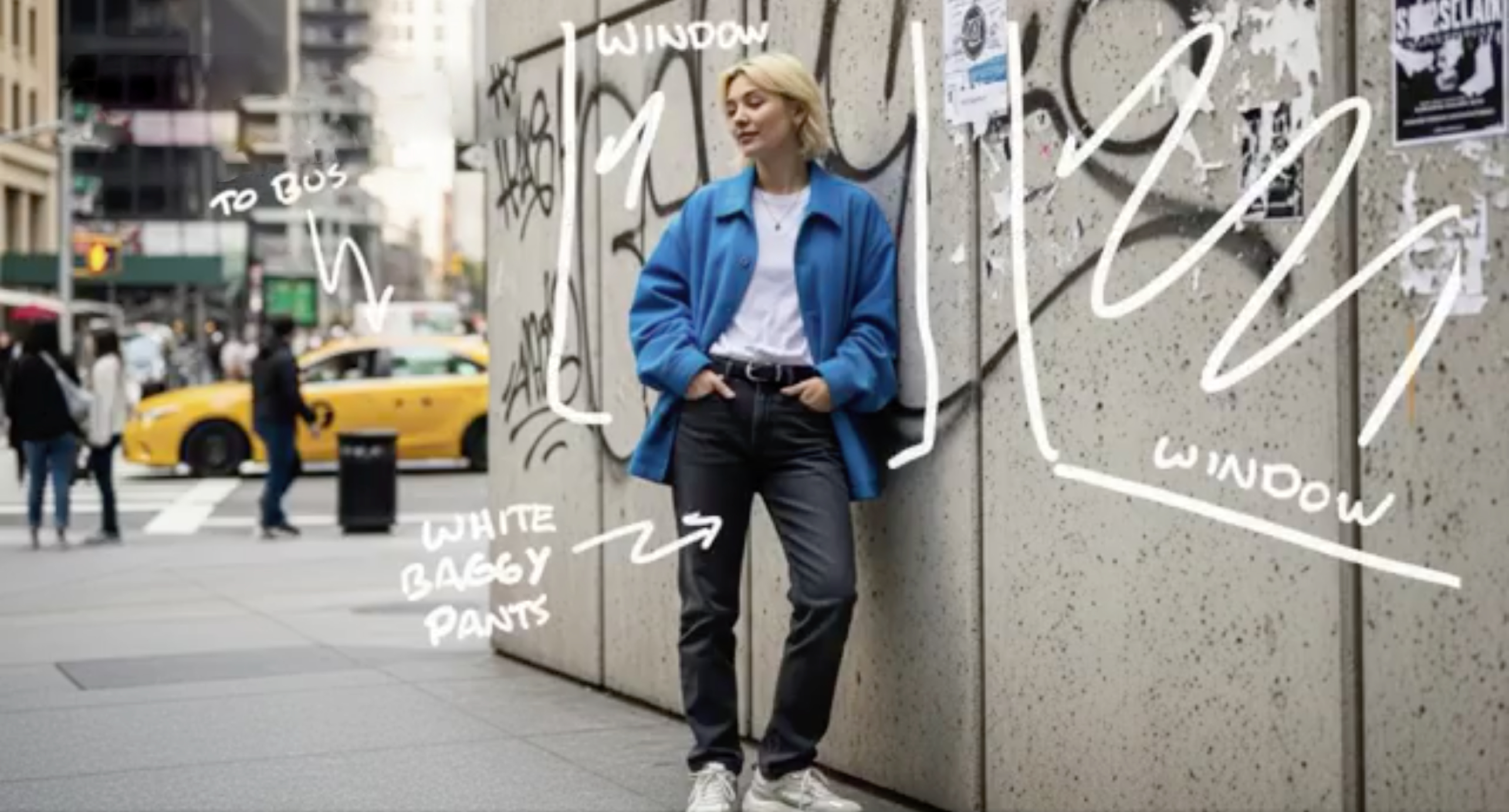
Original Image
Urban doodle style female illustration for Veo 3.1
AI Generated Video
Veo 3
Your browser does not support video playback.
8s • 720P

Text to Video with Veo 3.1

With detailed text descriptions, Veo 3.1 understands your creative vision and generates stunning cinematic content with native audio and realistic motion

Prompt

"Ultra-fast tracking shot through a sprawling futuristic cityscape where towering buildings are made of reflective organic chrome, glistening under a bright midday sun. Rainbow light flares and crystalline bokeh scatter across the frame as the camera dynamically weaves between structures. The sequence transitions into a seamless close-up zoom into a translucent chrome hive, where a highly detailed robotic worker bee is seen crafting with mechanical precision. The scene is rendered with hyperrealistic 4K clarity, soft lens depth, and ambient sci-fi audio humming in the background, evoking the mood of a high-budget cyber-futurist film."

AI Generated Video
Veo 3
Your browser does not support video playback.
8s • 720P

Revolutionary Features of Veo 3.1 AI Video Generator

Veo 3.1 introduces groundbreaking capabilities for cinematic video production. Control keyframes, extend duration, use multiple image references, and generate native audio with the most advanced AI video technology.

01

Keyframe Control in Veo 3.1 - Start and End Frame Precision

Precisely control the start and end of your AI video with keyframe mode. Control the first and last frames to create smooth cinematic transitions. This keyframe feature gives your clips clear pacing and rhythm, ensuring every scene feels complete and intentional with advanced frame control.

02

Multi-Image References in Veo 3.1

Guide your video's visual direction with multiple reference images. Provide different images to shape character design, lighting style, or color tone. Veo 3.1 ensures visual consistency across every shot, maintaining coherent aesthetics throughout your generated video with multi-image reference technology.

03

Native Audio and Enhanced Sound Effects in Veo 3.1

Veo 3.1 automatically adds native audio to your creations, including dialogue, ambient sound effects, and action-synchronized audio. Audio perfectly syncs with visuals, enhancing immersion and realism. This eliminates the need for separate audio editing and brings videos to life with professional sound.

04

Extend Video Duration Beyond 8 Seconds

Break through the 8-second limit with the extend feature. Naturally continue actions and narratives to create longer, more dynamic videos. Veo 3.1 allows seamless scene continuation, perfect for complex storytelling and professional video production.

05

Character Consistency Design in Veo 3.1

Upload character reference images to ensure consistent identity, appearance, and actions across every frame. Veo 3.1 maintains visual consistency across multiple scenes, creating smooth, professional narratives. This character consistency feature is ideal for character-driven storytelling and brand content.

How to Create Cinematic Videos with Veo 3.1 AI Video Generator

Generate professional videos with Veo 3.1 in simple steps. Use keyframe control, multi-image references, and native audio to create cinema-quality content.

1

Set Up Your Veo 3.1 Project with Keyframes or Images

Start your Veo 3.1 video creation by entering a detailed text prompt or uploading images. Use Veo 3.1's keyframe mode to control start and end frames, or provide multiple reference images for consistent visual style. Veo 3.1 supports both text-to-video and image-to-video generation with advanced control options.

2

Configure Veo 3.1 Advanced Generation Settings

Customize your Veo 3.1 video with professional options. Enable keyframe control, select multiple reference images for character consistency, choose 720P or upgrade to 1080p quality. Veo 3.1 allows you to fine-tune creative controls including motion generation and audio synchronization for optimal cinematic results.

3

Generate, Extend, and Download Your Veo 3.1 Video

Click generate and let Veo 3.1 create your professional video with native audio. Use Veo 3.1's extend feature to continue your video beyond 8 seconds. Once Veo 3.1 completes processing, preview your video with synchronized sound effects and download in your preferred quality. Your Veo 3.1-generated video is ready for professional use.

Start enhancing your images now

Veo 3.1 Video Generator - Frequently Asked Questions

Get answers to common questions about Veo 3.1 AI video generation, keyframe control, multi-image references, and native audio features.

Have more questions about Veo 3.1?
Contact our Veo 3.1 support team